 Loop Forge
A Halloween poster from layout boxes
From MOSS-Image add-ons, tested locally
- Model
- MOSS-Image SFT (moss_image_sft_int8_convrot.safetensors)
- Output
- 1024×1024
- Sampling
- 25 steps, CFG 2.5, er_sde / simple
- Seed
- 7
- Layout result
- 43.0 s, peak VRAM 10.7 GiB
- Ran on
- RTX 3060, 12GB (local)
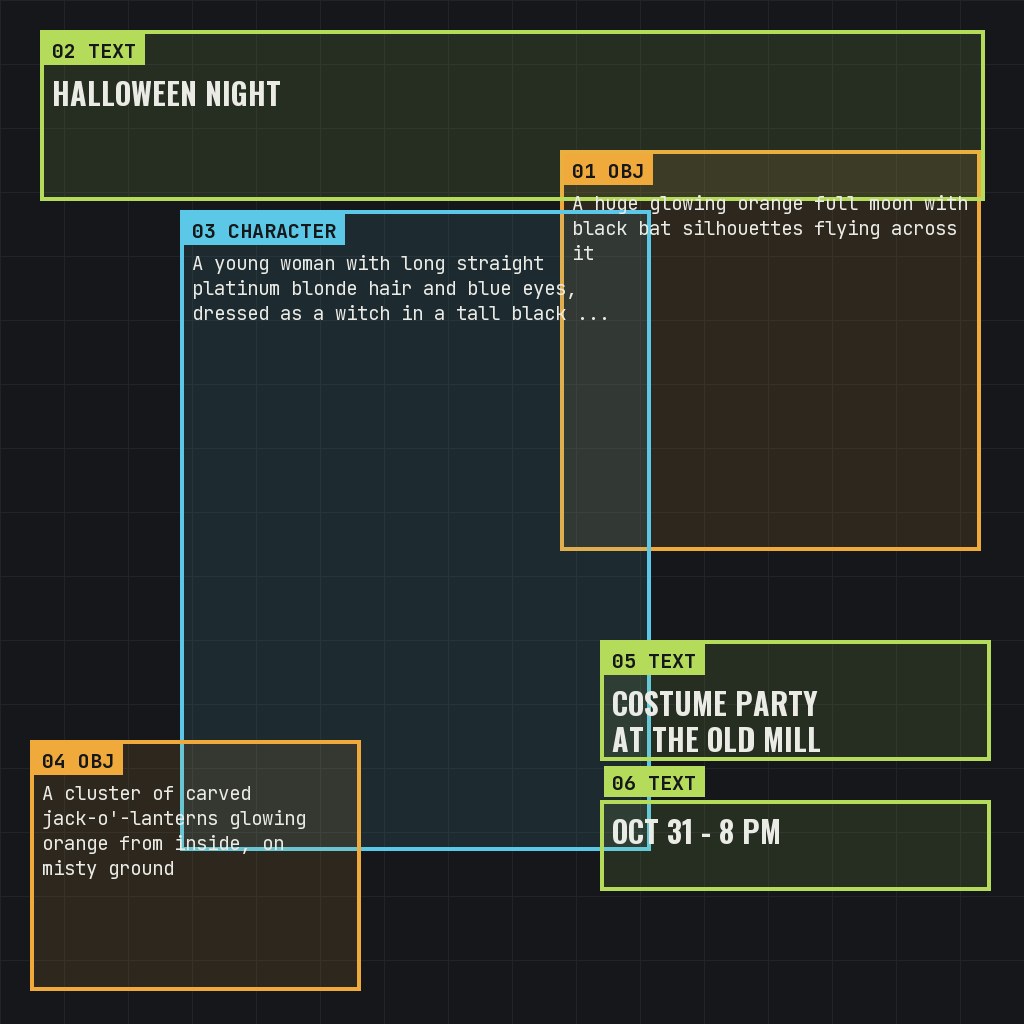
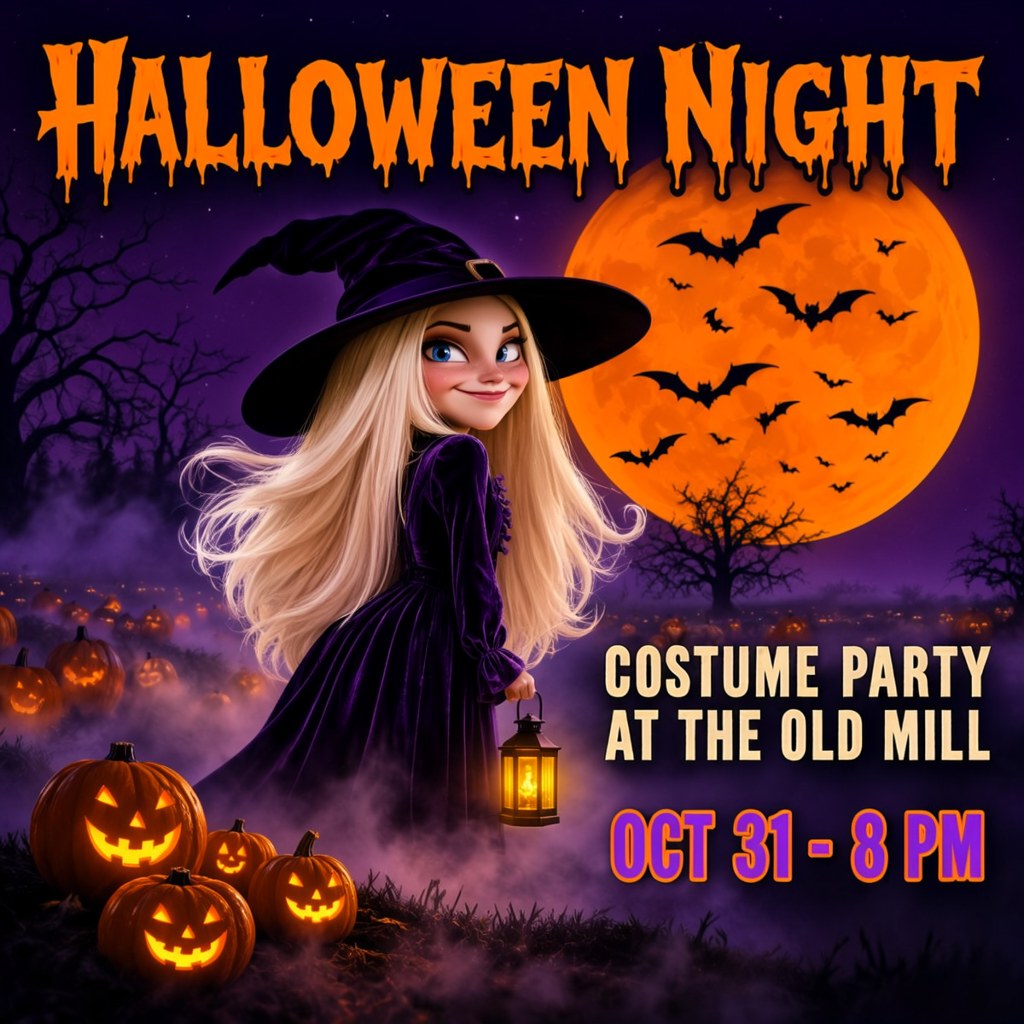
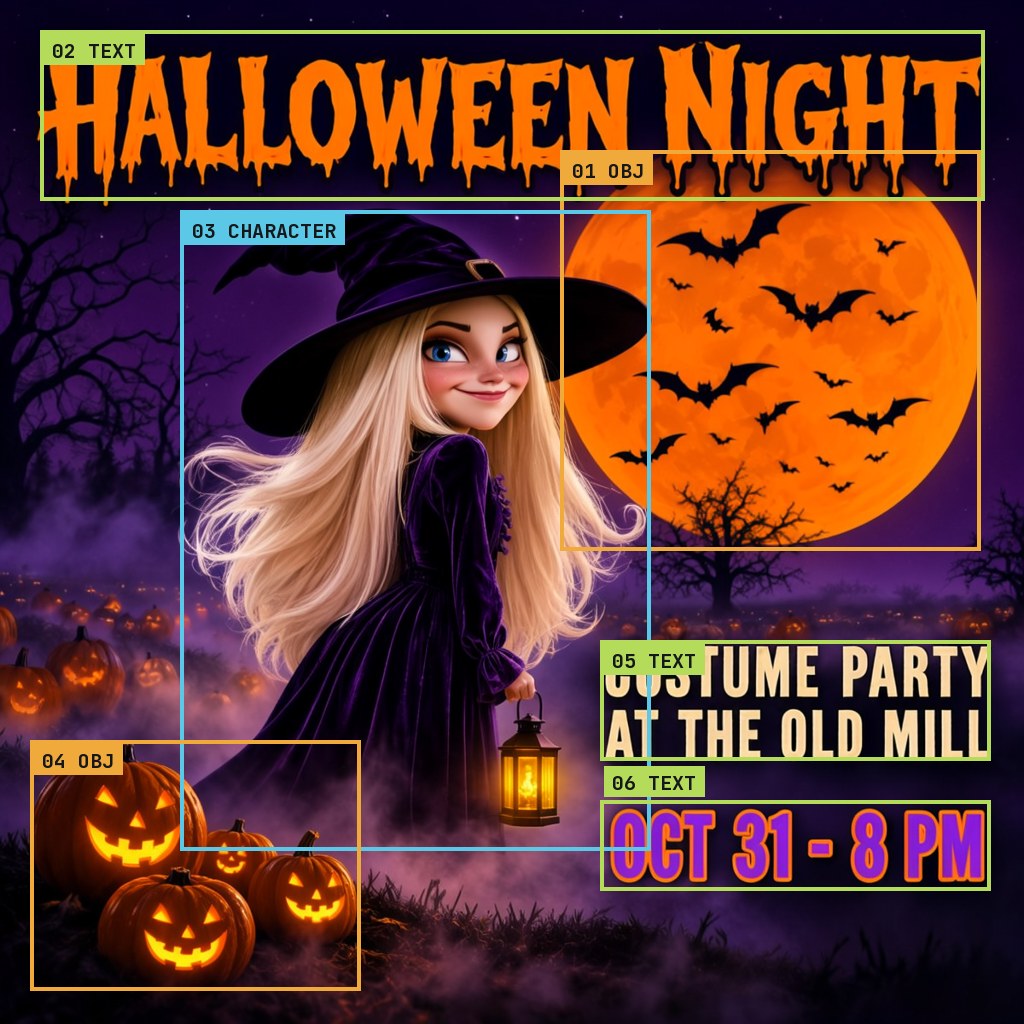
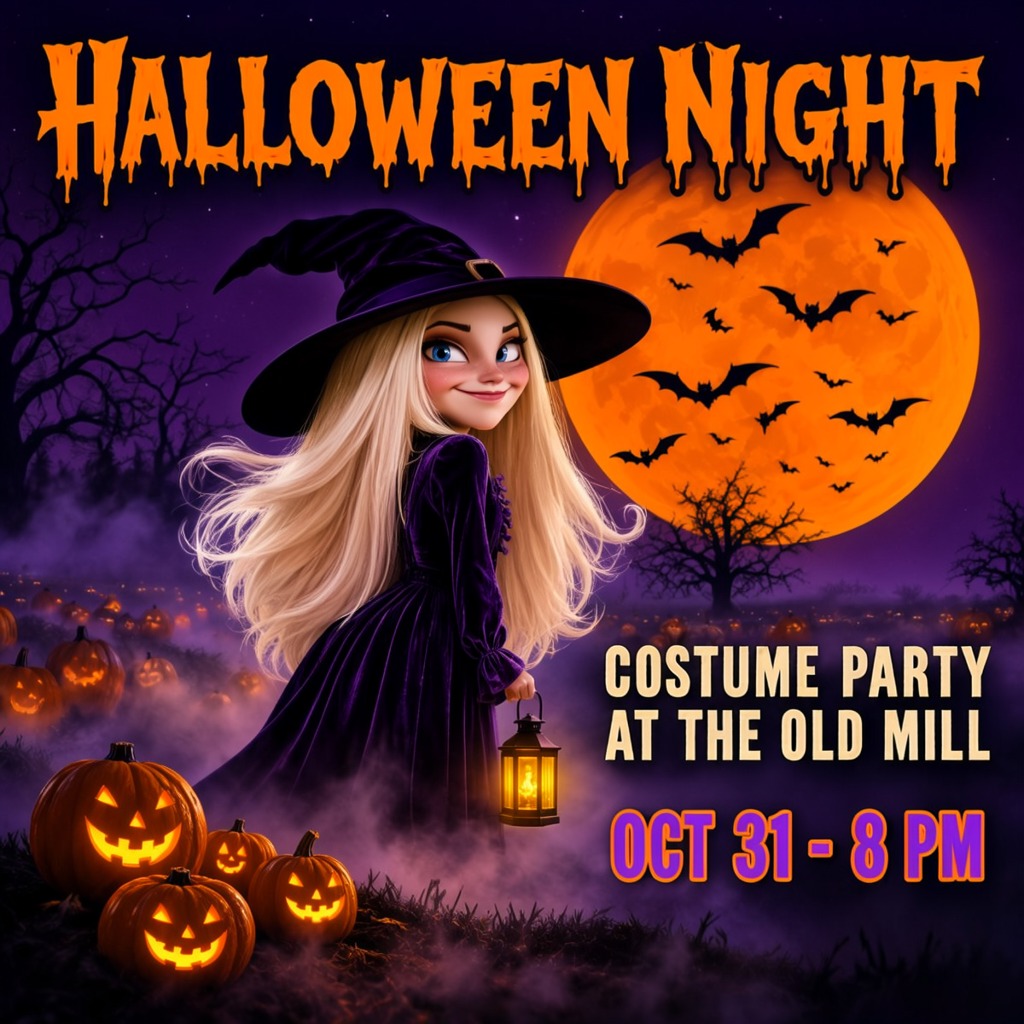
I marked where the text, the images and the person should go, and I think it turned out pretty well.
Halloween party poster, a moody illustrated photograph: a young woman dressed as a witch stands in a misty pumpkin patch at night under a huge orange full moon with bats, carved glowing jack-o'-lanterns at her feet, purple and orange palette, bold spooky hand-lettered title, rich detail.
[
 {
  "x": 560,
  "y": 150,
  "width": 420,
  "height": 400,
  "metadata": {
   "type": "obj",
   "text": "",
   "desc": "A huge glowing orange full moon with black bat silhouettes flying across it",
   "palette": []
  }
 },
 {
  "x": 40,
  "y": 30,
  "width": 944,
  "height": 170,
  "metadata": {
   "type": "text",
   "text": "HALLOWEEN NIGHT",
   "desc": "Huge dripping orange hand-lettered spooky capitals across the top of the poster",
   "palette": []
  }
 },
 {
  "x": 180,
  "y": 210,
  "width": 470,
  "height": 640,
  "metadata": {
   "type": "obj",
   "text": "",
   "desc": "A young woman with long straight platinum blonde hair and blue eyes, dressed as a witch in a tall black pointed hat and a long dark purple velvet dress, holding a small glowing lantern, smiling slyly at the camera",
   "palette": []
  }
 },
 {
  "x": 30,
  "y": 740,
  "width": 330,
  "height": 250,
  "metadata": {
   "type": "obj",
   "text": "",
   "desc": "A cluster of carved jack-o'-lanterns glowing orange from inside, on misty ground",
   "palette": []
  }
 },
 {
  "x": 600,
  "y": 640,
  "width": 390,
  "height": 120,
  "metadata": {
   "type": "text",
   "text": "COSTUME PARTY\nAT THE OLD MILL",
   "desc": "Bold cream capitals on two lines",
   "palette": []
  }
 },
 {
  "x": 600,
  "y": 800,
  "width": 390,
  "height": 90,
  "metadata": {
   "type": "text",
   "text": "OCT 31 - 8 PM",
   "desc": "Smaller purple capitals with orange outline",
   "palette": []
  }
 }
]
nsfw, worst quality, bad anatomy, watermark, jpeg artifact
Notes
The boxes are drawn in the template's Create Bounding Boxes node. Each one is a text box (the exact words to spell and how they should look) or an object box (a description), and the MOSS-Image Layout Prompt node turns the caption and the boxes into the layout prompt the model was trained on. The Caption and Boxes tabs are exactly what those two nodes were given.
The woman is described in words in her box, not given as a photo.
Comfy-Org workflow templates (the MOSS-Image templates ship with ComfyUI)
Run it yourself
This test loads no input files. Put the models below in place and drag the workflow onto ComfyUI.
| File | Put it in | Size |
|---|---|---|
| moss_image_sft_int8_convrot.safetensors | models/diffusion_models | 5.4 GB |
| qwen3.5_9b_w4a8_gptq.safetensors | models/text_encoders | 7.3 GB |
| flux2-vae_small.safetensors | models/vae | 249.5 MB |
No custom nodes. Every node is part of ComfyUI 0.43.1 (frontend 1.57.6, templates 0.11.100).