 Loop Forge
A cafe front from layout boxes
From MOSS-Image add-ons, tested locally
- Model
- MOSS-Image SFT (moss_image_sft_int8_convrot.safetensors)
- Output
- 1024×1024
- Sampling
- 25 steps, CFG 2.5, er_sde / simple
- Seed
- 101
- Layout result
- 43.0 s, peak VRAM 10.7 GiB
- Ran on
- RTX 3060, 12GB (local)
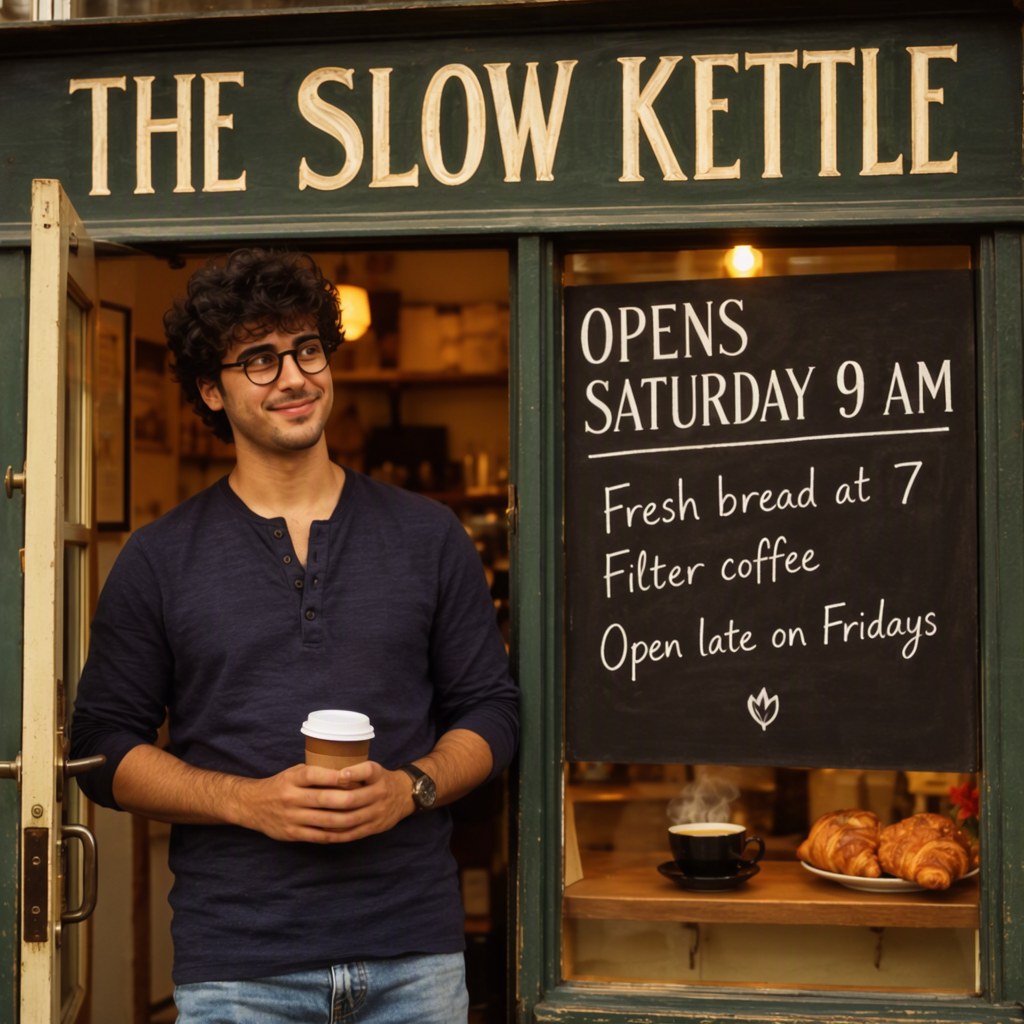
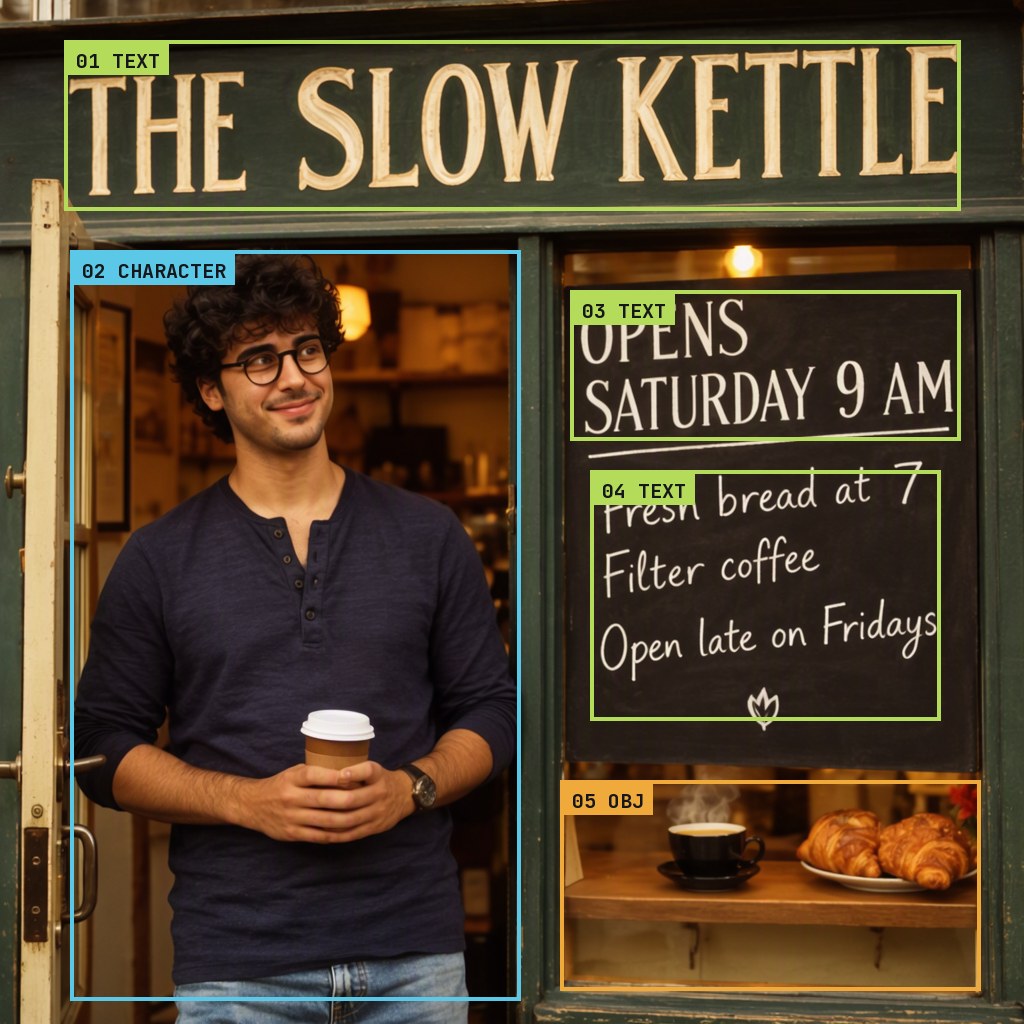
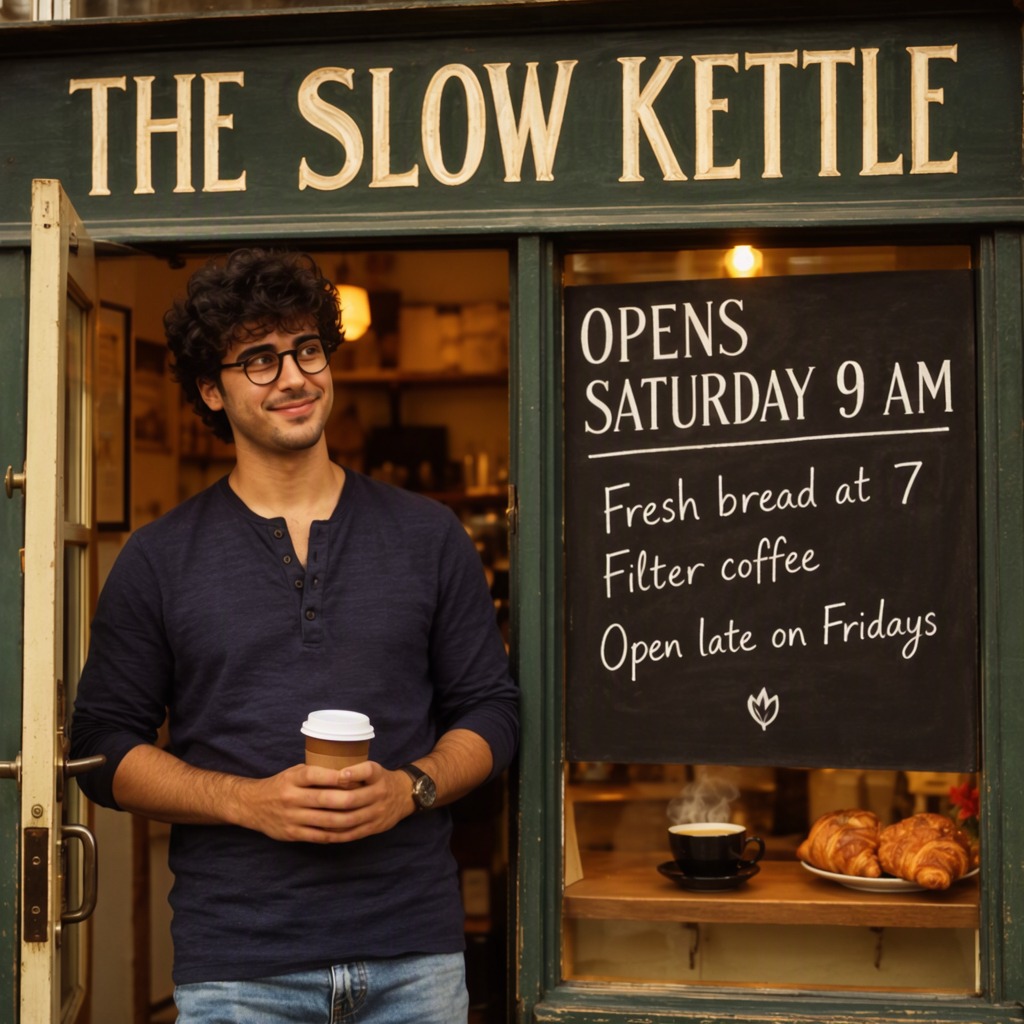
The sign and the chalkboard are spelled right, and he is standing about where I drew his box.
Warm photograph of the front of a small corner cafe at golden hour: a young man stands by the open door holding a takeaway coffee cup, a dark green wooden shop sign above, a standing chalkboard beside him, a small counter with a steaming cup and croissants in the window. Soft warm light, shallow depth of field, 35mm photo.
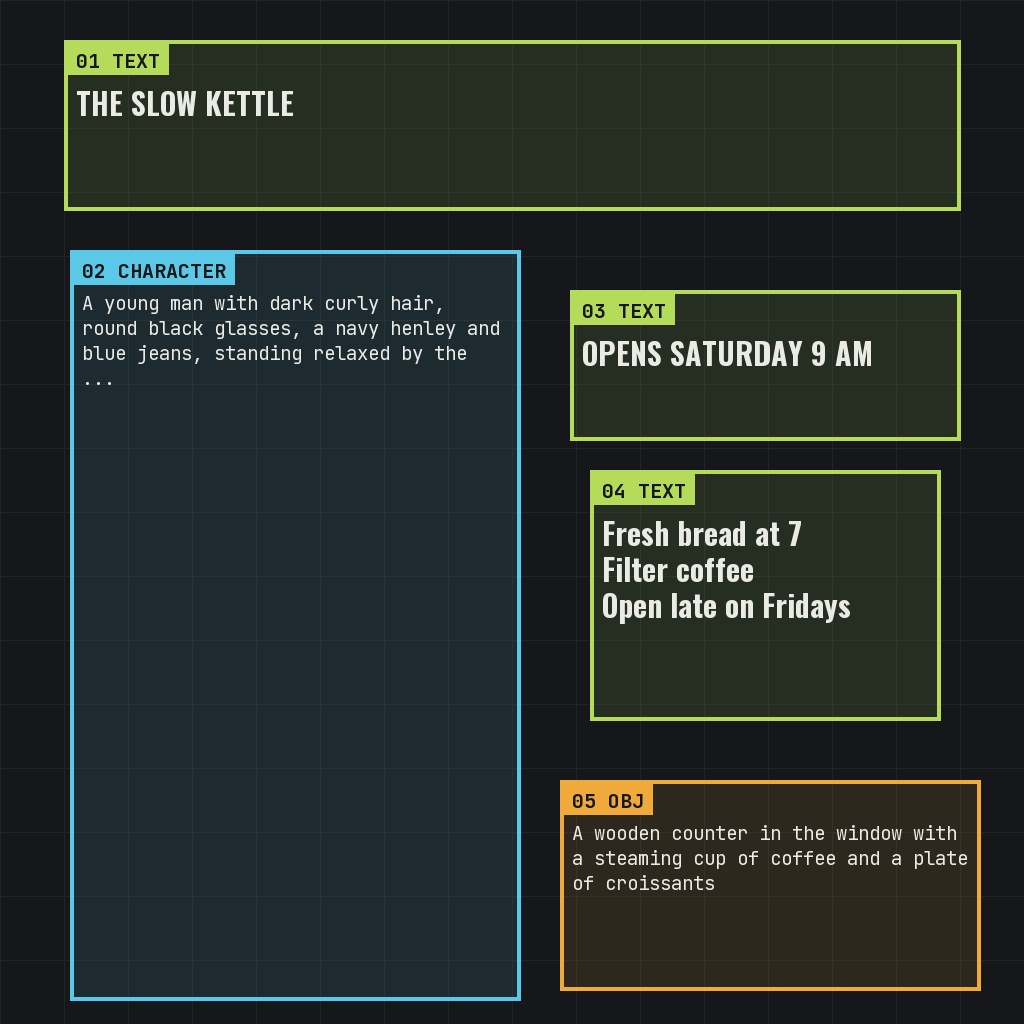
[
 {
  "x": 64,
  "y": 40,
  "width": 896,
  "height": 170,
  "metadata": {
   "type": "text",
   "text": "THE SLOW KETTLE",
   "desc": "A long dark green wooden sign across the top of the shop front with large hand-painted cream serif capitals",
   "palette": []
  }
 },
 {
  "x": 70,
  "y": 250,
  "width": 450,
  "height": 750,
  "metadata": {
   "type": "obj",
   "text": "",
   "desc": "A young man with dark curly hair, round black glasses, a navy henley and blue jeans, standing relaxed by the door and smiling, holding a white takeaway coffee cup",
   "palette": []
  }
 },
 {
  "x": 570,
  "y": 290,
  "width": 390,
  "height": 150,
  "metadata": {
   "type": "text",
   "text": "OPENS SATURDAY 9 AM",
   "desc": "Bold white chalk capitals at the top of a black standing chalkboard",
   "palette": []
  }
 },
 {
  "x": 590,
  "y": 470,
  "width": 350,
  "height": 250,
  "metadata": {
   "type": "text",
   "text": "Fresh bread at 7\nFilter coffee\nOpen late on Fridays",
   "desc": "Three lines of smaller white chalk handwriting on the same chalkboard",
   "palette": []
  }
 },
 {
  "x": 560,
  "y": 780,
  "width": 420,
  "height": 210,
  "metadata": {
   "type": "obj",
   "text": "",
   "desc": "A wooden counter in the window with a steaming cup of coffee and a plate of croissants",
   "palette": []
  }
 }
]
nsfw, worst quality, bad anatomy, watermark, jpeg artifact
Notes
The boxes are drawn in the template's Create Bounding Boxes node. Each one is a text box (the exact words to spell and how they should look) or an object box (a description), and the MOSS-Image Layout Prompt node turns the caption and the boxes into the layout prompt the model was trained on. The Caption and Boxes tabs are exactly what those two nodes were given.
Box 2 is a character box: the man is described in words. The layout template takes no images.
Comfy-Org workflow templates (the MOSS-Image templates ship with ComfyUI)
Run it yourself
This test loads no input files. Put the models below in place and drag the workflow onto ComfyUI.
| File | Put it in | Size |
|---|---|---|
| moss_image_sft_int8_convrot.safetensors | models/diffusion_models | 5.4 GB |
| qwen3.5_9b_w4a8_gptq.safetensors | models/text_encoders | 7.3 GB |
| flux2-vae_small.safetensors | models/vae | 249.5 MB |
No custom nodes. Every node is part of ComfyUI 0.43.1 (frontend 1.57.6, templates 0.11.100).