 Loop Forge
The same example, with the small text fixed
From MOSS-Image add-ons, tested locally
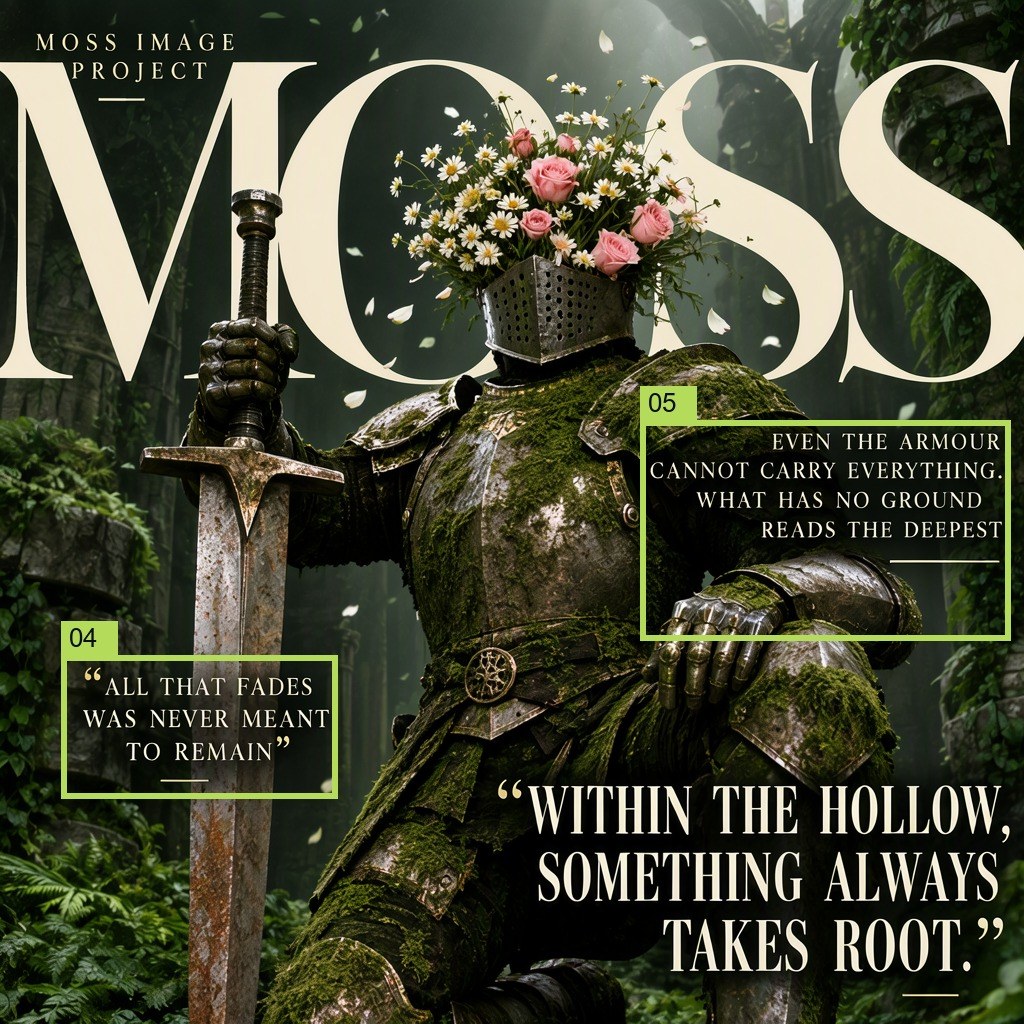
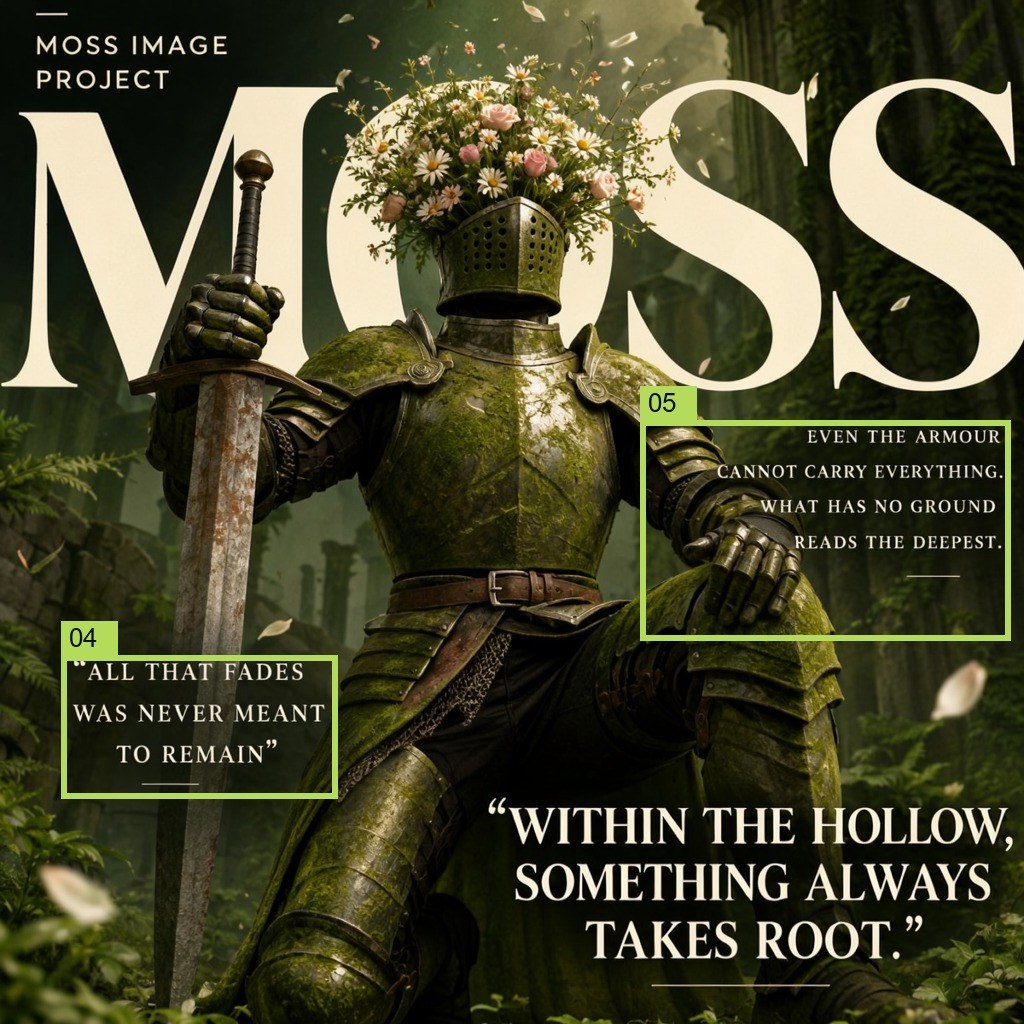
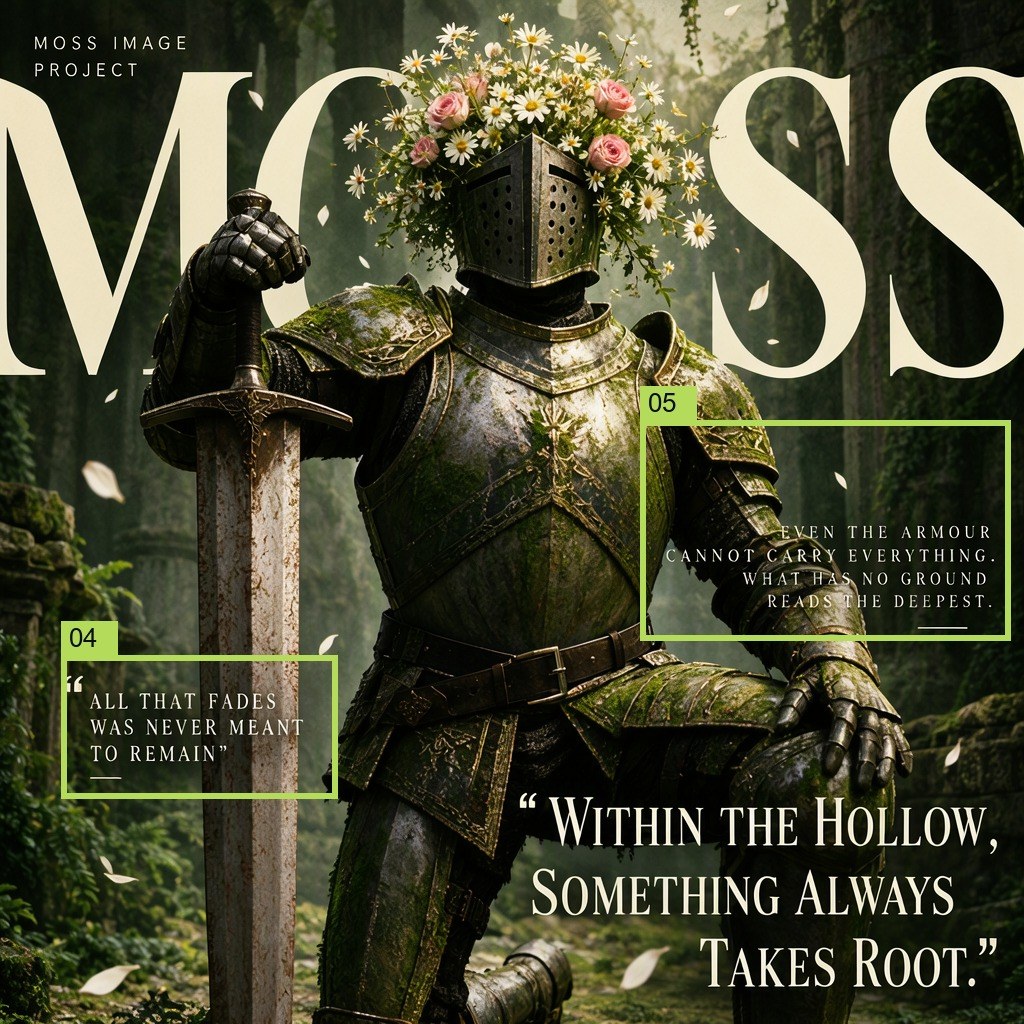
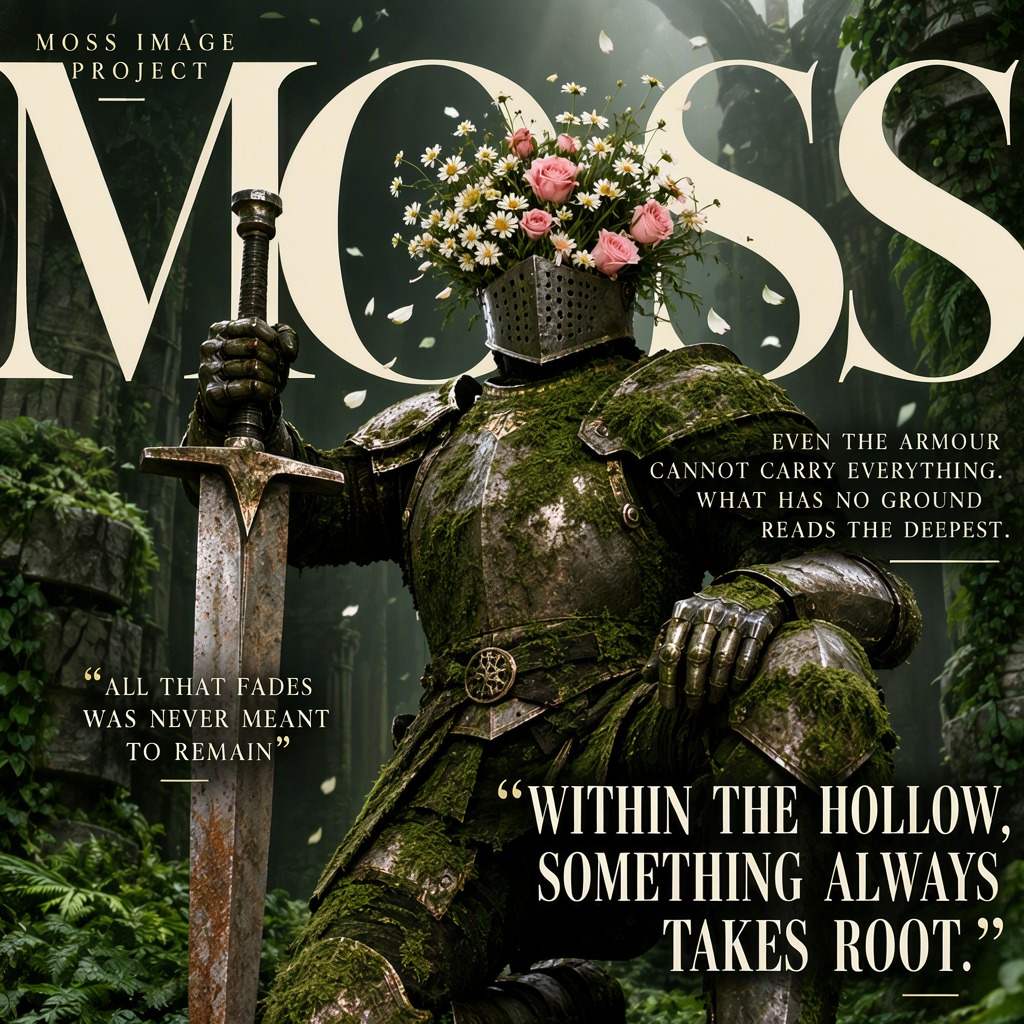
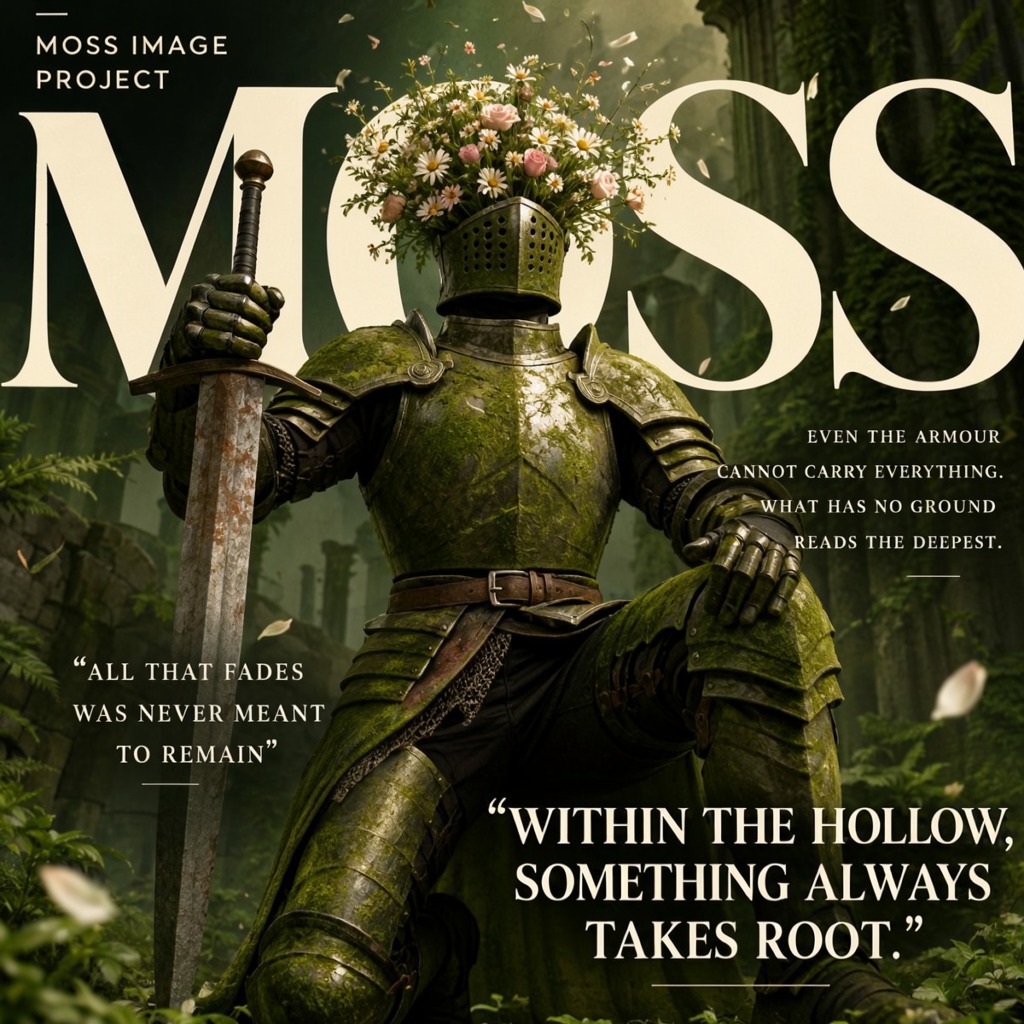
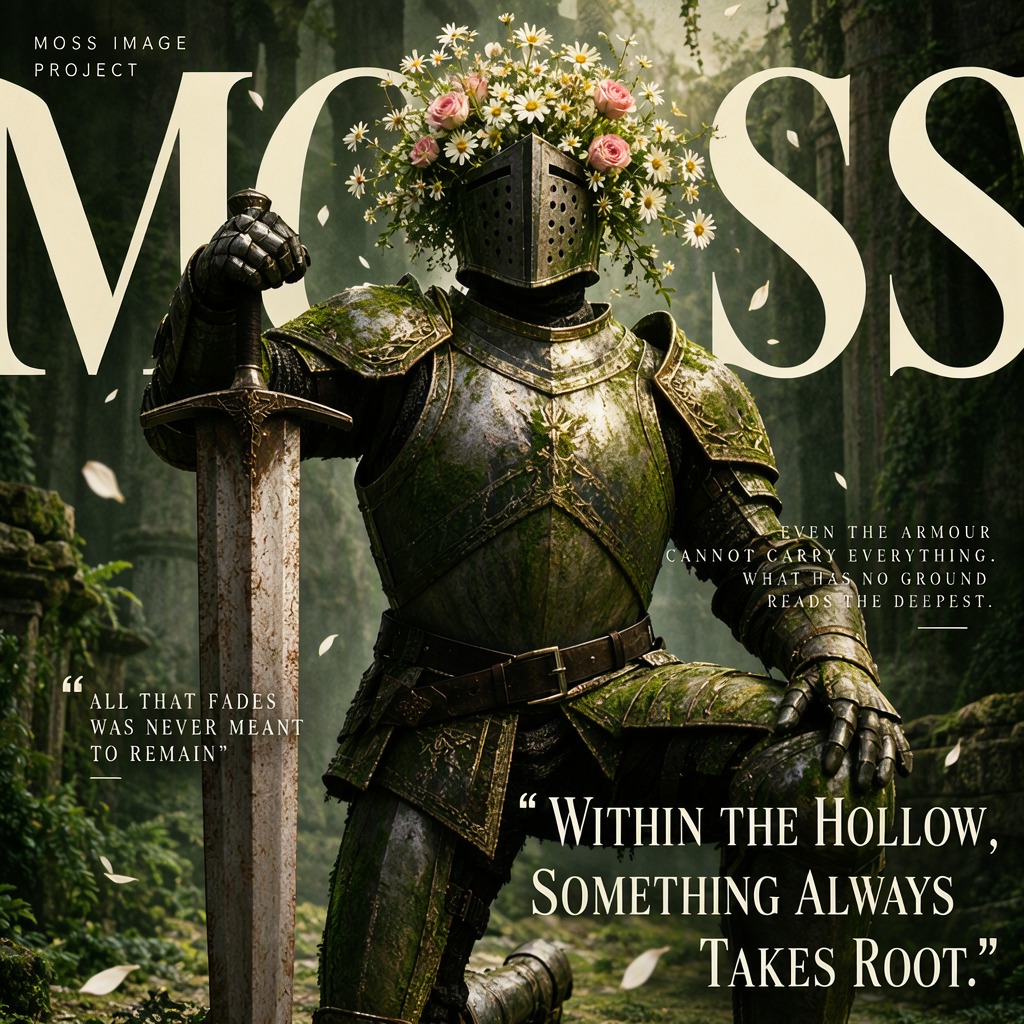
- Model
- MOSS-Image SFT (moss_image_sft_int8_convrot.safetensors)
- Output
- 1024×1024
- Sampling
- 25 steps, CFG 2.5, er_sde / simple
- Seeds
- 7, 101, 42
- Seed 7
- 44.5 s, peak VRAM 10.3 GiB
- Ran on
- RTX 3060, 12GB (local)
Verdict
Once I fixed those three things, the quotes landed where I drew them.
Dark fantasy editorial poster in a lush overgrown ruin: a knight in moss-covered plate armour in a heroic kneeling pose, torso upright and head lifted, one hand gripping a massive greatsword planted point-down beside him, the other forearm on his raised knee, a dense bouquet of daisies and pink roses growing out of the open helmet instead of a face, ivy and crumbling columns behind, petals drifting in the air, soft volumetric light from above, deep green and moss palette with muted cream type. Two small quotes sit low on the poster: one at the lower left beside the sword, and one on the right at the height of his raised knee.
[
 {
  "x": 0,
  "y": 56,
  "width": 1024,
  "height": 333,
  "metadata": {
   "type": "text",
   "text": "MOSS",
   "desc": "Across the top of the poster, enormous cream serif capitals spell , with oversized high-contrast letterforms cropped by both the left and right edges so the word extends beyond the composition. The typography is flat, bold, and sharply defined against a dark background",
   "palette": []
  }
 },
 {
  "x": 143,
  "y": 184,
  "width": 778,
  "height": 840,
  "metadata": {
   "type": "obj",
   "text": "",
   "desc": "A knight in moss-covered steel plate armour strikes a heroic kneeling pose: one knee planted on the ground, the other leg bent forward with the foot braced, torso upright and chest pushed forward, shoulders back, head lifted and facing straight ahead, one gauntleted hand gripping the hilt of a massive greatsword planted point-down beside him, the other forearm resting on his raised knee, the broad blade weathered and rust-streaked, a dense bouquet of white daisies and pink roses bursting from the open helmet instead of a face, ivy, ferns and tumbled stonework behind him",
   "palette": []
  }
 },
 {
  "x": 31,
  "y": 26,
  "width": 205,
  "height": 67,
  "metadata": {
   "type": "text",
   "text": "MOSS IMAGE\nPROJECT",
   "desc": "In the top-left corner, two lines of tiny cream uppercase sans-serif type read , set in a compact left-aligned block with tight line spacing. The surrounding area remains dark and unobstructed",
   "palette": []
  }
 },
 {
  "x": 61,
  "y": 655,
  "width": 276,
  "height": 143,
  "metadata": {
   "type": "text",
   "text": "\"ALL THAT FADES\nWAS NEVER MEANT\nTO REMAIN\"",
   "desc": "Three short centered lines of small cream uppercase serif lettering inside thin quotation marks, with a subtle shadow.",
   "palette": []
  }
 },
 {
  "x": 640,
  "y": 420,
  "width": 370,
  "height": 220,
  "metadata": {
   "type": "text",
   "text": "EVEN THE ARMOUR\nCANNOT CARRY EVERYTHING.\nWHAT HAS NO GROUND\nREADS THE DEEPEST.",
   "desc": "Two short lines of tiny cream uppercase serif lettering, right-aligned, with a subtle shadow.",
   "palette": []
  }
 },
 {
  "x": 492,
  "y": 768,
  "width": 543,
  "height": 225,
  "metadata": {
   "type": "text",
   "text": "\"WITHIN THE HOLLOW,\nSOMETHING ALWAYS\nTAKES ROOT.\"",
   "desc": "Large cream serif capitals reading are arranged as three centered lines at the bottom right, with generous line spacing and a thin dark quotation mark enclosing the text block",
   "palette": []
  }
 }
]
nsfw, worst quality, bad anatomy, watermark, jpeg artifact
Notes
Three changes, from the makers' layout guide: the box describes only how the text looks, the caption says where the small quotes go, and the text has to fit in its box (box 05 is taller, the same words over four lines). Boxes 04 and 05 are drawn on each result.
Comfy-Org workflow templates (the MOSS-Image templates ship with ComfyUI)
Run it yourself
This test loads no input files. Put the models below in place and drag the workflow onto ComfyUI.
| File | Put it in | Size |
|---|---|---|
| moss_image_sft_int8_convrot.safetensors | models/diffusion_models | 5.4 GB |
| qwen3.5_9b_w4a8_gptq.safetensors | models/text_encoders | 7.3 GB |
| flux2-vae_small.safetensors | models/vae | 249.5 MB |
No custom nodes. Every node is part of ComfyUI 0.43.1 (frontend 1.57.6, templates 0.11.100).