 Loop Forge
Crash zoom out
- Resolution
- 1344×768
- Length
- 124 frames, 5.17s
- Steps
- 20, res_multistep / simple, turbo LoRA off
- Seed
- 7
- Ran on
- RTX 3060, 12GB (local)
What was wired in
 <Picture 1>
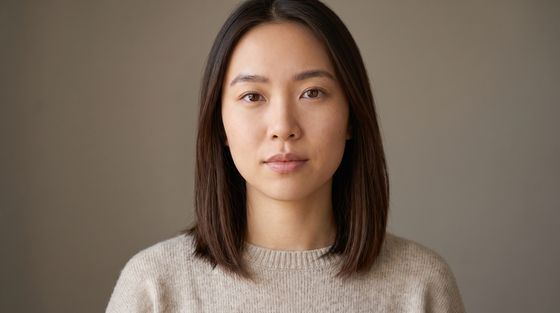
MeiCharacter reference plate
Camera clause
subject_definitions:
<Subject 1> is the person in <Picture 1>.

summary:
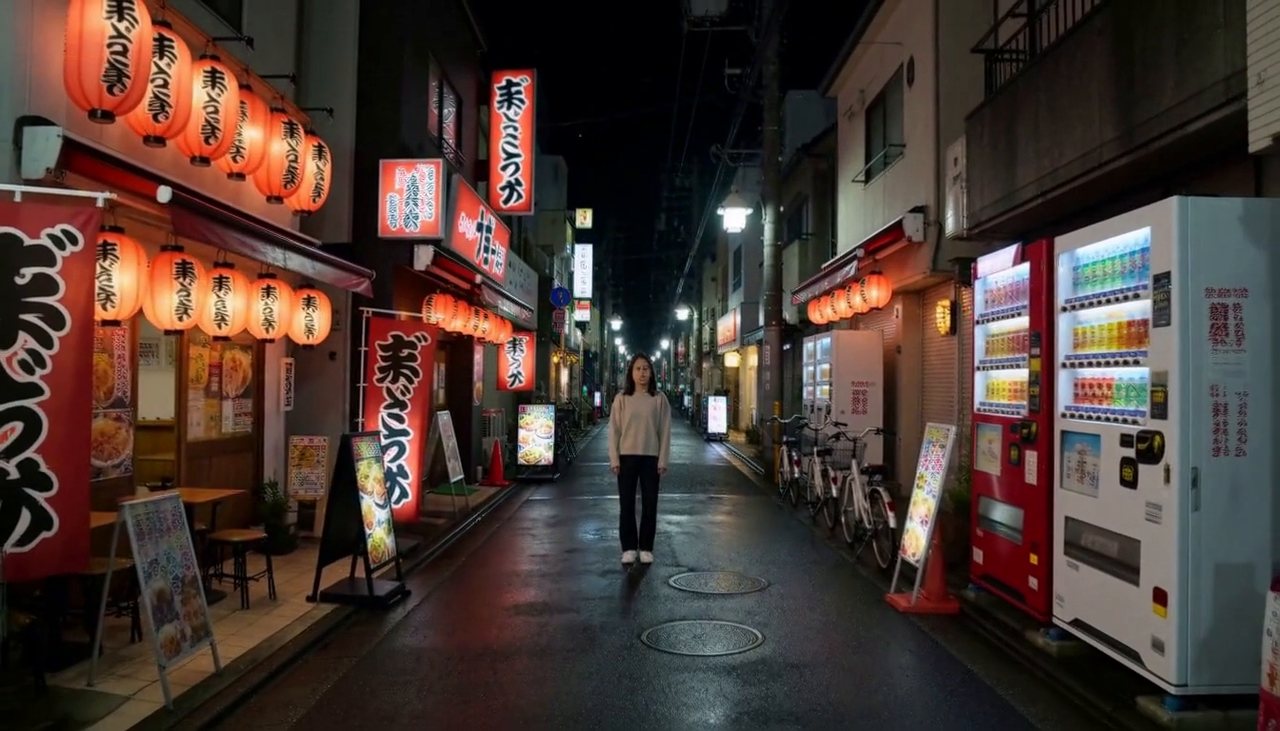
[reference generation] The target video shows <Subject 1> standing still in a narrow Tokyo alley at night, in a tight close-up, as the camera performs a crash zoom out.

retention_analysis:
<Subject 1> (appears in [Shot 1]): fully_preserved - her face, identity and clothing are held identical to <Picture 1> in every frame with zero drift.

detailed_description:
The target video is live-action and cinematic.
[Shot 1] A tight close-up fills the frame with <Subject 1>'s face. <Subject 1> is standing in place in the middle of the lantern-lit alley, breathing softly, hair and clothing stirring in the air, blinking and shifting her weight a little as people naturally do, with red paper lanterns, izakaya fronts, lit vending machines, parked bicycles and wet paving stones behind her. The camera is locked off on a tripod and holds the tight close-up completely still for the first two seconds; only the zoom lens changes and the camera body never moves. Between one frame and the next the lens crash zooms out to a wide shot with <Subject 1> small and complete in frame in the middle of the lantern-lit alley: the whole change takes only two or three frames, as abrupt as a cut, with a streak of zoom blur on those few frames only, and nothing shifts against anything else, the background simply shrinks flat together with her. After it lands the wide framing is locked and does not change. As the shot plays out, <Subject 1> holds a calm, neutral expression through the close-up, then her eyes flick wide in alarm as the zoom snaps out, lips closed.

overall_soundscape: Muffled chatter and clinking glasses from the bars, the hum of the vending machines and a light drizzle

non_diegetic_music: N/A
Notes
The same as the crash zoom in: H3 took about 1.7 seconds for a zoom the prompt asks to be near instant, so the clip was sped up afterwards with snap.py. The prompt is kept exactly as it ran.
Run it yourself
Download everything for this test (.zip, 1.6 MB). It holds the workflow, every input it loads and a README. Copy the inputs into ComfyUI/input, put the models below in place and drag the workflow onto ComfyUI.
| File | Put it in | Size |
|---|---|---|
| minimax_h3_ref2va_pruned_int8_convrot.safetensors | models/diffusion_models | 21.0 GB |
| qwen3vl_32b_minimax_h3_nvfp4_awq.safetensors | models/text_encoders | 15.7 GB |
| minimax_h3_video_vae_fp16.safetensors | models/vae | 5.2 GB |
| minimax_h3_audio_vae_fp32.safetensors | models/vae | 605.3 MB |
No custom nodes. Every node is part of ComfyUI 0.41.0.