 Loop Forge
CharRef with a photo, at three image strengths
From MOSS-Image add-ons, tested locally

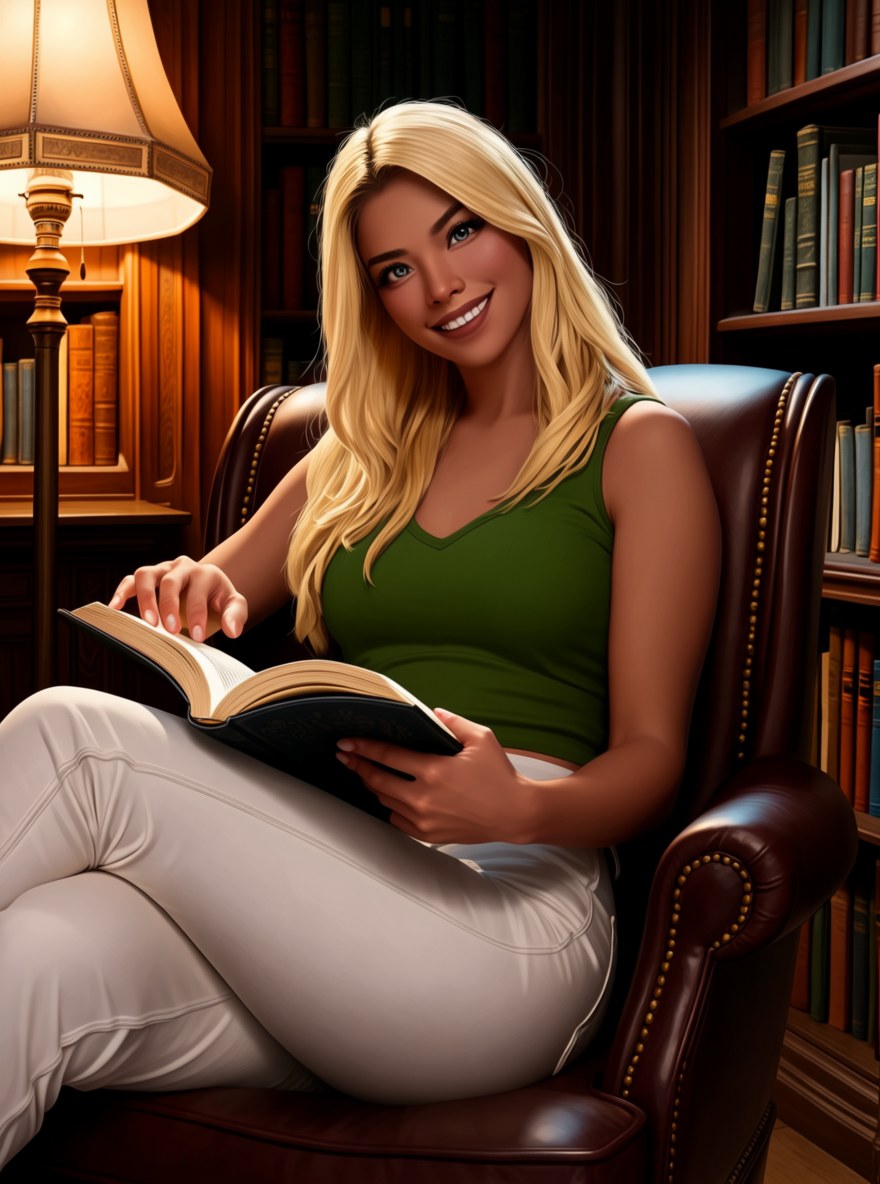
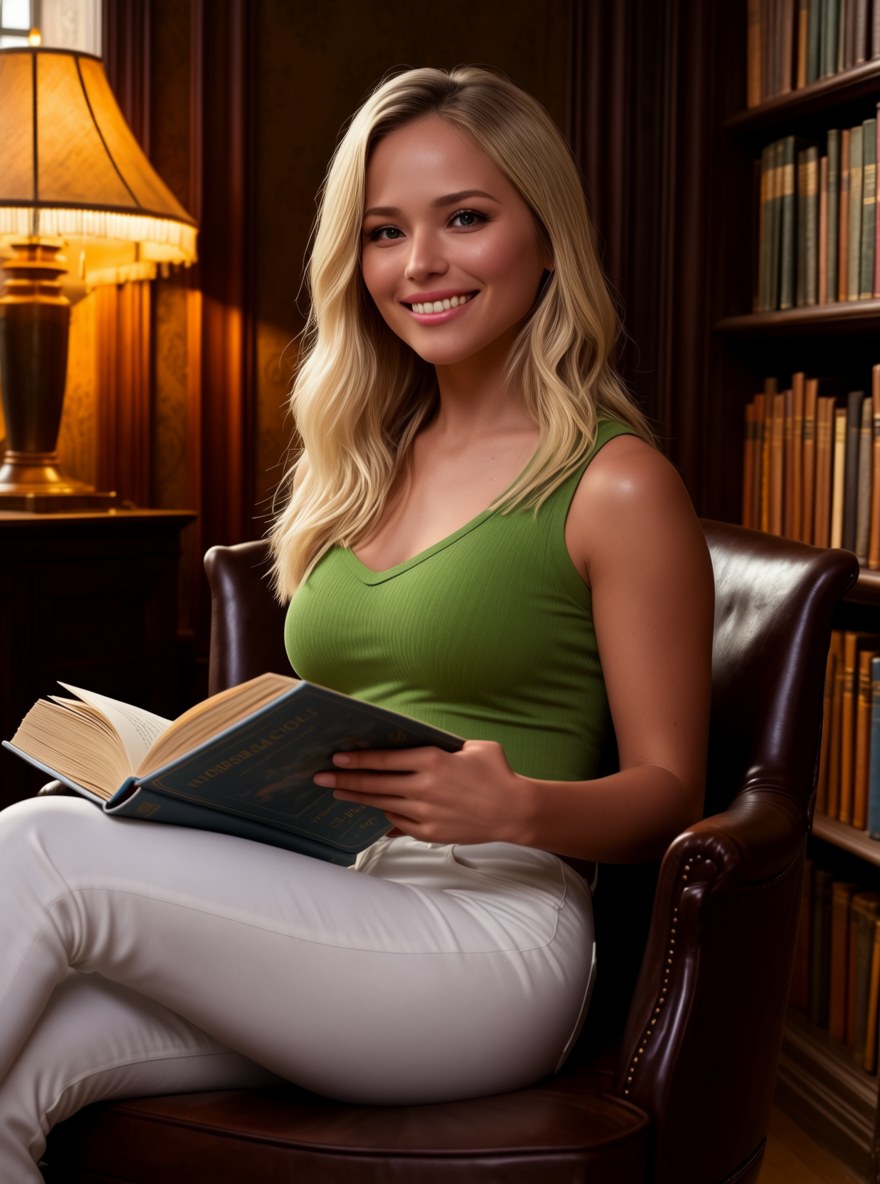
- Model
- MOSS-Image Base (moss_image_base_int8_convrot.safetensors)
- Output
- 880×1184
- Sampling
- 50 steps, CFG 3, euler / sgm_uniform
- Seed
- 42
- Image strength 0
- 104.2 s, peak VRAM 10.2 GiB
- Image strength 1
- 111.7 s, peak VRAM 10.5 GiB
- Image strength 4
- 114.0 s, peak VRAM 10.2 GiB
- Ran on
- RTX 3060, 12GB (local)
What was wired in
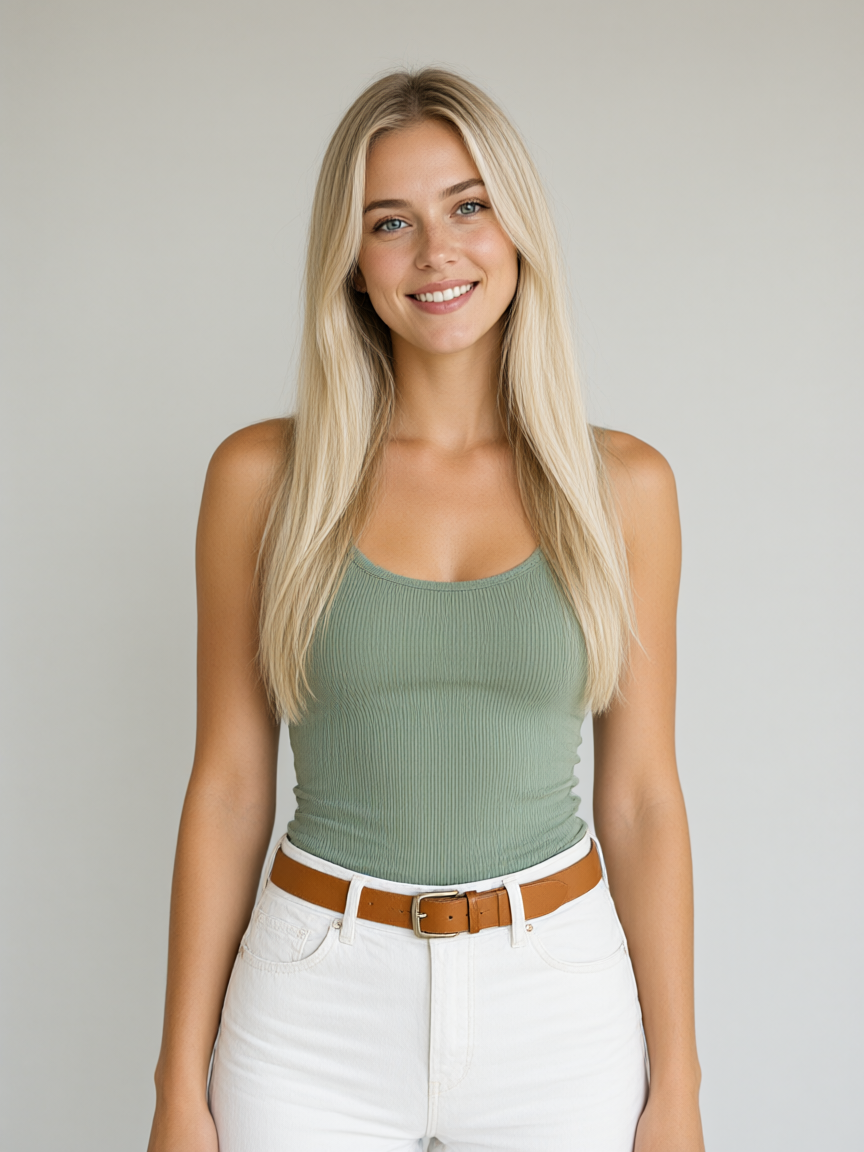

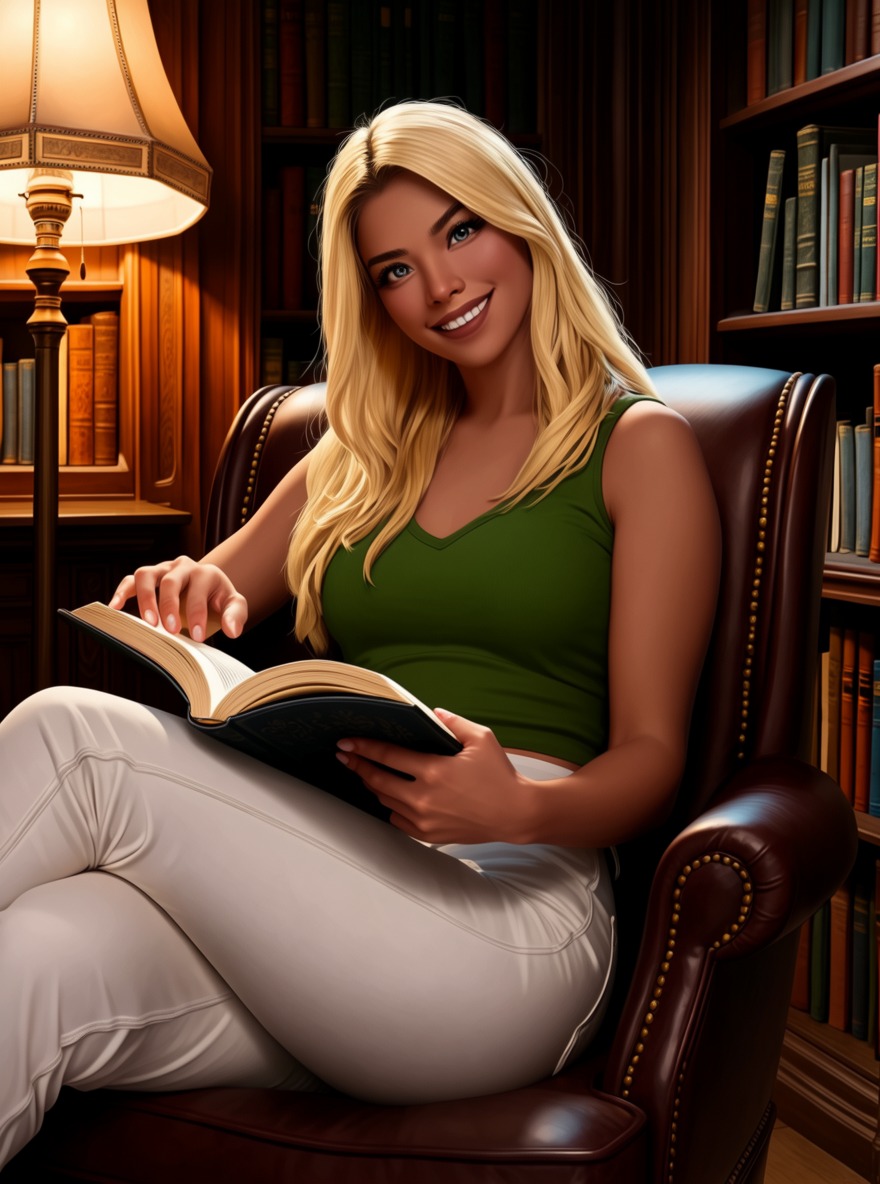
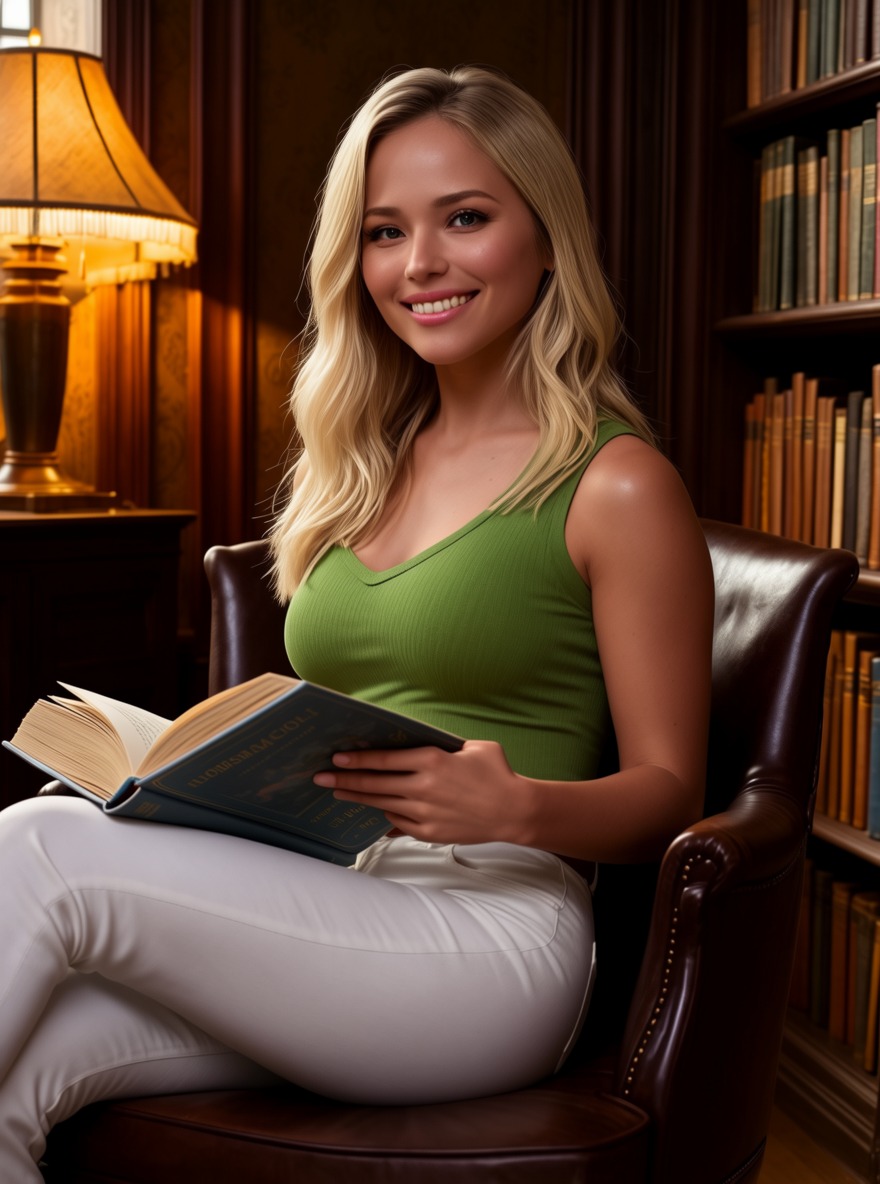
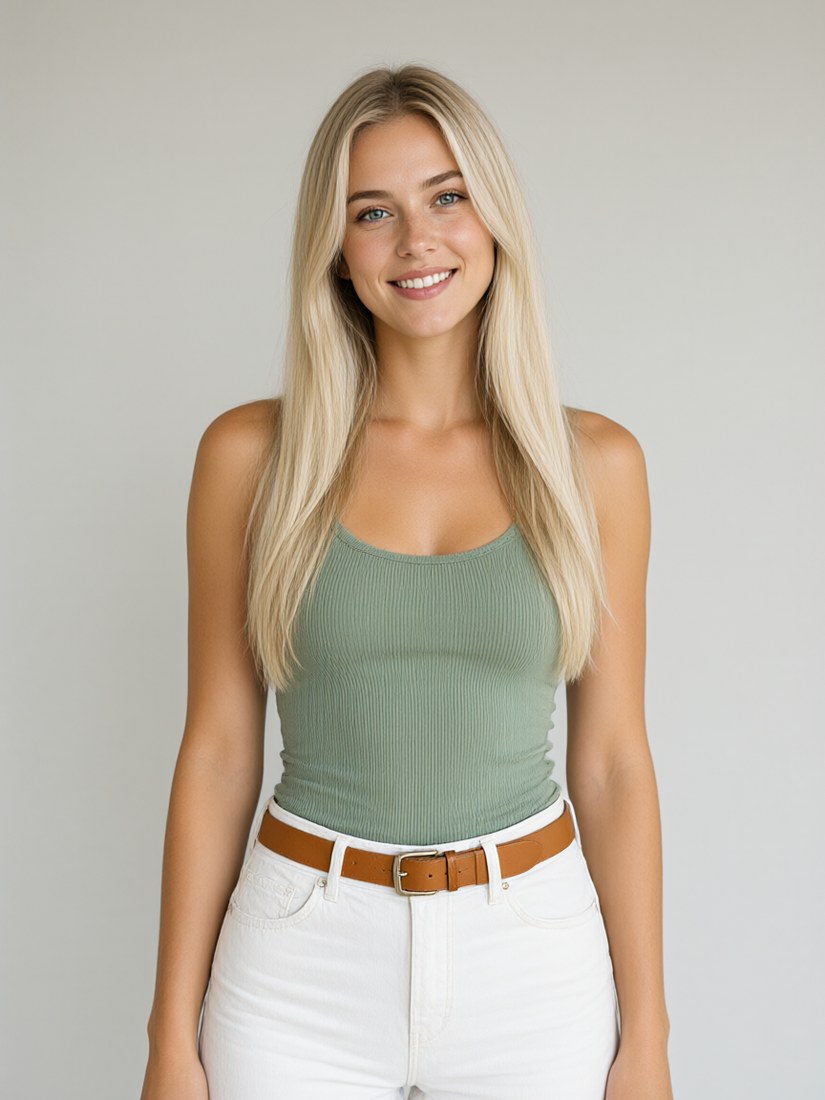
The outfit made it, but the face did not. It drifts toward a drawing. At strength 0 it ignores the reference completely, and at 4 it gets closer but it is still not her. For a real person I'd skip it.
Same character and art style as Picture 1. She is curled up in a leather armchair in a cozy old library reading a book, warm lamp light, bookshelves behind her.
Notes
The official MOSS edit template switched to Base with CharRef v2, at the card's settings: edit_format ai-toolkit, 50 steps, CFG 3, euler / sgm_uniform, empty negative. It loads natively, without the Ostris node. Image strength (on Text Encode MOSS-Image Edit) sets how hard it looks at the reference; the three images differ only in that setting.
The reference goes straight into the text encoder, in front of the prompt. Its card says it is made for anime.
7err4/MOSS-Image-CharRef on Hugging Face (v2)
Comfy-Org workflow templates (the MOSS-Image templates ship with ComfyUI)
Run it yourself
Download everything for this test (.zip, 1.2 MB). It holds the workflow, every input it loads and a README. Copy the inputs into ComfyUI/input, put the models below in place and drag the workflow onto ComfyUI.
| File | Put it in | Size |
|---|---|---|
| moss_image_base_int8_convrot.safetensors | models/diffusion_models | 5.4 GB |
| moss_image_charref_v2.safetensors | models/loras | 148.7 MB |
| qwen3.5_9b_w4a8_gptq.safetensors | models/text_encoders | 7.3 GB |
| flux2-vae_small.safetensors | models/vae | 249.5 MB |
No custom nodes. Every node is part of ComfyUI 0.43.1 (frontend 1.57.6, templates 0.11.100).