 Loop Forge
Jib up
- Resolution
- 1344×768
- Length
- 124 frames, 5.17s
- Steps
- 20, res_multistep / simple, turbo LoRA off
- Seed
- 7
- Ran on
- RTX 3060, 12GB (local)
What was wired in
 <Picture 1>
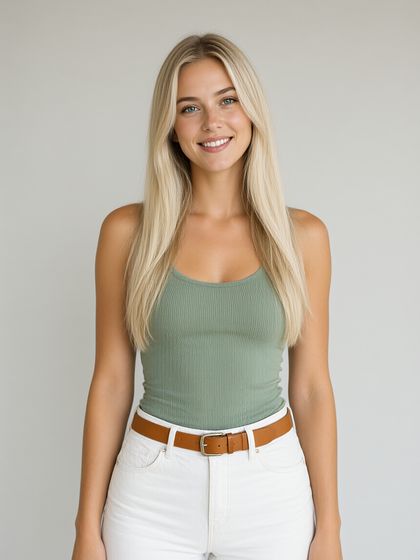
FreyaCharacter reference plate
Camera clause
subject_definitions:
<Subject 1> is the person in <Picture 1>, with long straight platinum-blonde hair, light blue eyes, a sage-green ribbed tank top and white jeans with a tan leather belt.

summary:
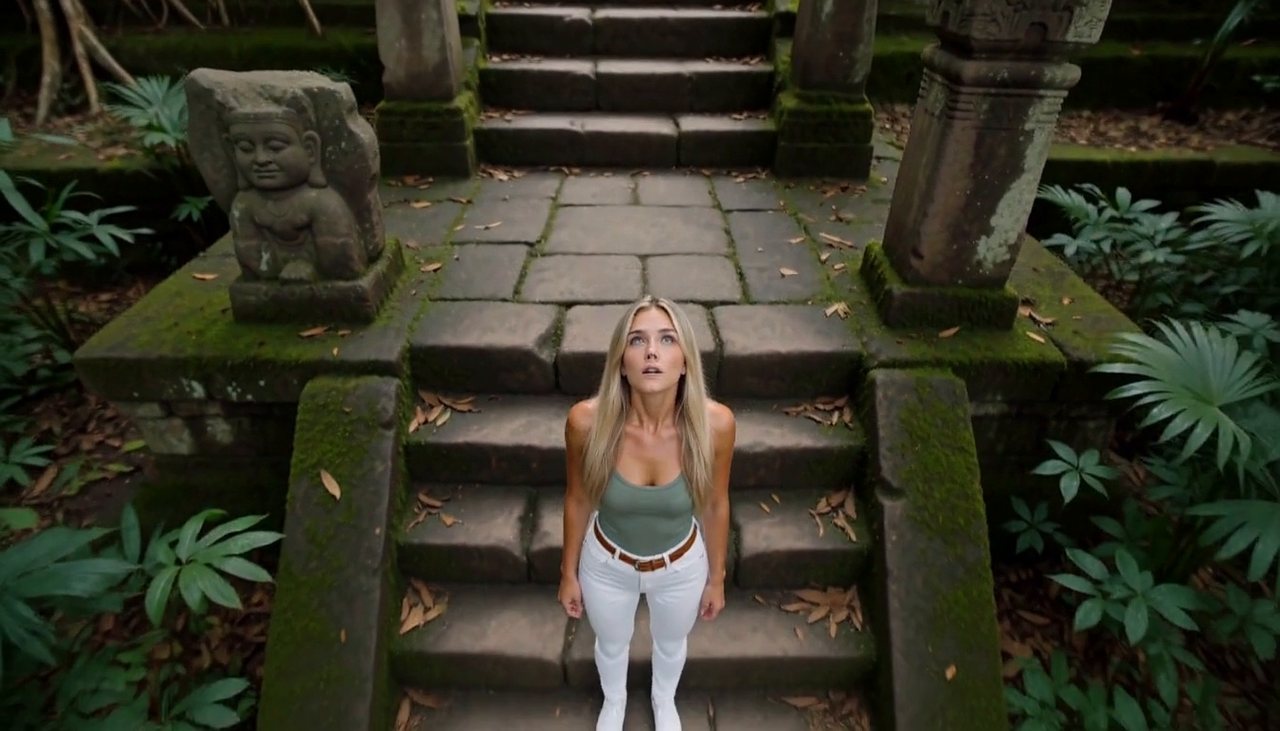
[reference generation] The target video shows <Subject 1> standing still among ancient temple ruins in the jungle, in a waist-up medium close-up, as the camera performs a jib up.

retention_analysis:
<Subject 1> (appears in [Shot 1]): fully_preserved - her face, identity and clothing (long straight platinum-blonde hair, light blue eyes, a sage-green ribbed tank top and white jeans with a tan leather belt) are held identical to <Picture 1> in every frame with zero drift.

detailed_description:
The target video is live-action and cinematic.
[Shot 1] A waist-up medium close-up frames <Subject 1>, standing in place on the mossy temple steps, breathing softly, hair and clothing stirring in the air, blinking and shifting her weight a little as people naturally do, with a mossy stepped pyramid, carved pillars, giant tree roots and a broken stone idol behind her. The camera jibs up at slow speed in one sweeping arc, rising from her chest height up and over her while tilting down to keep her in frame, and ends in a high angle looking down on her with ancient temple ruins in the jungle spread out around her. As the shot plays out, <Subject 1> turns her face up toward the rising camera, her expression opening from wariness into awe.

overall_soundscape: Dense jungle sound, birds calling, insects buzzing and water trickling over stone

non_diegetic_music: N/A
Run it yourself
Download everything for this test (.zip, 1.3 MB). It holds the workflow, every input it loads and a README. Copy the inputs into ComfyUI/input, put the models below in place and drag the workflow onto ComfyUI.
| File | Put it in | Size |
|---|---|---|
| minimax_h3_ref2va_pruned_int8_convrot.safetensors | models/diffusion_models | 21.0 GB |
| qwen3vl_32b_minimax_h3_nvfp4_awq.safetensors | models/text_encoders | 15.7 GB |
| minimax_h3_video_vae_fp16.safetensors | models/vae | 5.2 GB |
| minimax_h3_audio_vae_fp32.safetensors | models/vae | 605.3 MB |
No custom nodes. Every node is part of ComfyUI 0.41.0.