 Loop Forge
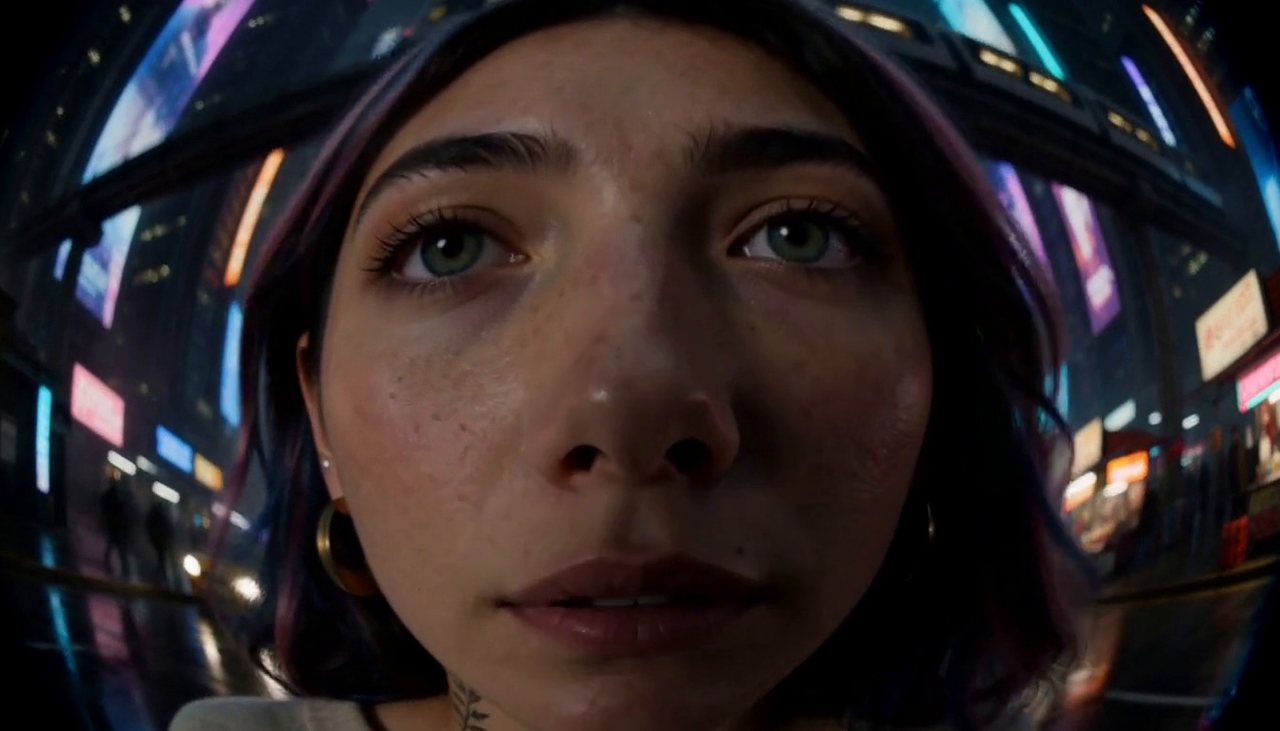
Fisheye
- Known from
- The Favourite
- Resolution
- 1344×768
- Length
- 124 frames, 5.17s
- Steps
- 20, res_multistep / simple, turbo LoRA off
- Seed
- 11
- Ran on
- RTX 5090 on RunPod
Rent the same kind of GPU on RunPodAffiliate link: Loop Forge gets credit if you sign up through it, at no extra cost to you.
What was wired in
 <Picture 1>
LenaCharacter reference plate
Camera clause
subject_definitions:
<Subject 1> is the person in <Picture 1>.

summary:
[reference generation] The target video shows <Subject 1> standing still on a cyberpunk megacity street at night, in a warped, bulging fisheye close-up, as the camera performs a fisheye close-up.

retention_analysis:
<Subject 1> (appears in [Shot 1]): fully_preserved - her face, identity and clothing are held identical to <Picture 1> in every frame with zero drift.

detailed_description:
The target video is live-action and cinematic.
[Shot 1] A warped, bulging close-up with the camera almost touching <Subject 1>'s face: the whole picture is curved like the inside of a glass ball, the middle swelling toward the viewer and the edges bending round into a dark rounded border, standing in place on the rain-slicked street, breathing softly, hair and clothing stirring in the air, blinking and shifting her weight a little as people naturally do, with towers covered in holographic adverts, an elevated train track, flying cars and neon stalls behind her. The camera pushes in toward her as she leans into the lens, and the warp grows stronger the closer it gets: her nose and the middle of her face balloon toward the viewer while her ears and the setting behind her shrink away and curve around the rim of the frame, and every straight line in the background bends into an arc.

overall_soundscape: A dense city hum, an overhead train rattling past and distant electronic announcements

non_diegetic_music: N/A
Run it yourself
Download everything for this test (.zip, 2.4 MB). It holds the workflow, every input it loads and a README. Copy the inputs into ComfyUI/input, put the models below in place and drag the workflow onto ComfyUI.
| File | Put it in | Size |
|---|---|---|
| minimax_h3_ref2va_pruned_int8_convrot.safetensors | models/diffusion_models | 21.0 GB |
| qwen3vl_32b_minimax_h3_nvfp4_awq.safetensors | models/text_encoders | 15.7 GB |
| minimax_h3_video_vae_fp16.safetensors | models/vae | 5.2 GB |
| minimax_h3_audio_vae_fp32.safetensors | models/vae | 605.3 MB |
No custom nodes. Every node is part of ComfyUI 0.41.0.